Kubernetes health for self-hosters

Your cluster's nanny.

One light per cluster. Below it, only what is broken: the cause, and the one action that usually fixes it.

  • 79 components recognised
  • End-to-end encrypted
  • No account, no telemetry
  • Open source, Apache-2.0
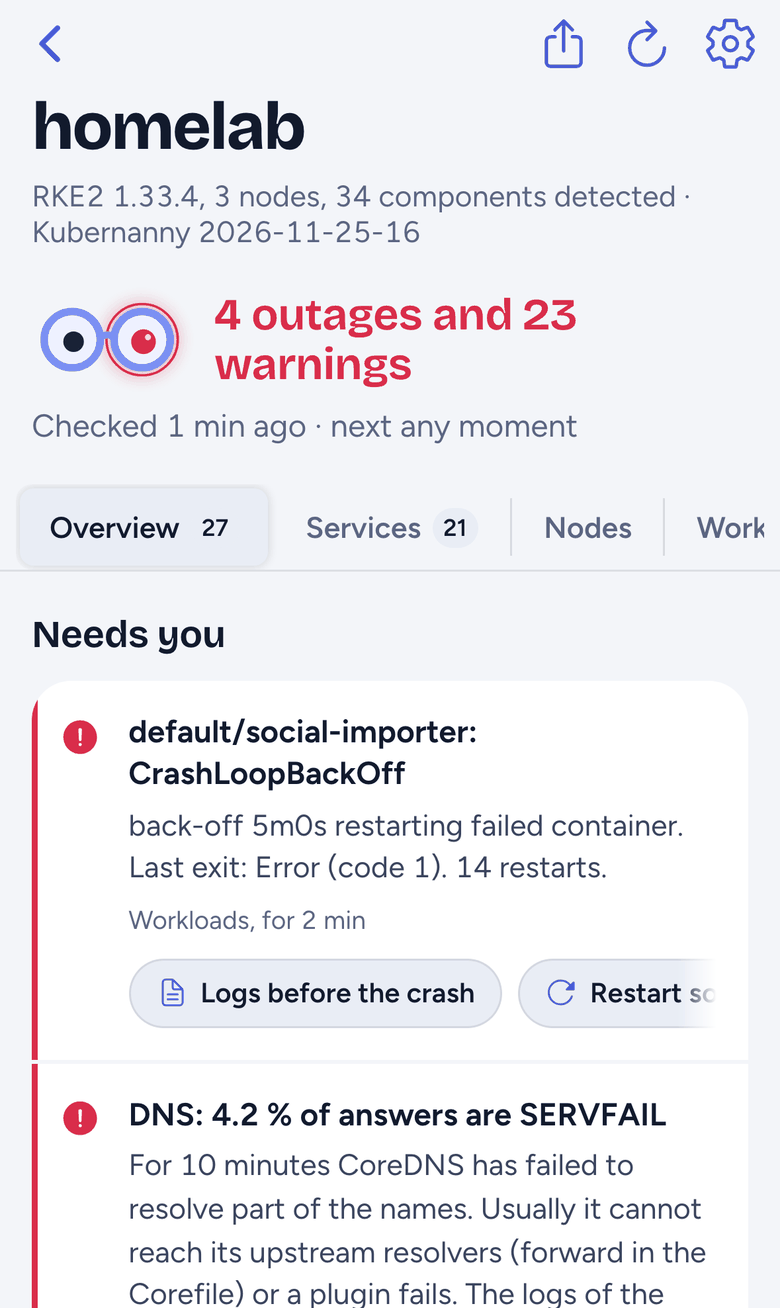
Kubernanny on a phone: the eye glowing red, "3 outages and 19 warnings", and the first problem with its logs, restart and silence buttons

Install

Running in a minute.

One Helm release in the cluster you want to watch. No account to create, no cloud in between, nothing to configure for the defaults.

Other ways:kubectl apply -f deploy/install.yaml, or an Argo CD Application.

No ingress? Port-forward the service: the agent serves the full web UI itself. Configuration

  1. Install the chart

    helm install kubernanny \oci://ghcr.io/kubernanny/charts/kubernanny \-n kubernanny --create-namespace
  2. Read its log

    kubectl -n kubernanny logs deploy/kubernanny

    It prints a QR code, a one-time pairing code (valid for an hour) and the agent's public key.

  3. Scan the QR code

    With your phone's camera, or open the link in a browser. Your device creates its own key pair, which never leaves it. That's the whole setup.

Just looking? Run the agent with a demo cluster on your laptop:

docker run --rm -p 8080:8080 -e DEMO=broken ghcr.io/kubernanny/agent

What it does

Knows your stack. Says only what matters.

Not another cluster browser: k9s and Lens are great for exploring. Kubernanny is for the moment your phone buzzes at 04:10, and for the glance before bed.

Recognises 79 components by their images

Longhorn, Argo CD, cert-manager, CloudNativePG, Prometheus, Loki, kured and the rest: found by the container images of their workloads, whichever chart, operator or namespace installed them.

  • Longhorn
  • Local Path Provisioner
  • Rook Ceph
  • OpenEBS
  • MinIO
  • NFS Provisioner
  • Argo CD
  • Argo CD Image Updater
  • Flux
  • Renovate
  • CloudNativePG
  • PostgreSQL
  • MariaDB / MySQL
  • Redis / Valkey
  • MongoDB
  • cert-manager
  • Prometheus
  • Alertmanager
  • Prometheus Operator
  • Grafana
  • Loki
  • Promtail
  • Grafana Alloy
  • Tempo
  • kube-state-metrics
  • Node Exporter
  • Blackbox Exporter
  • Uptime Kuma
  • Gatus
  • metrics-server
  • Traefik
  • ingress-nginx
  • CoreDNS
  • Cilium
  • Calico / Canal
  • Flannel
  • MetalLB
  • kube-vip
  • ExternalDNS
  • Cloudflare Tunnel
  • Tailscale
  • WireGuard
  • Pi-hole / AdGuard
  • Infisical
  • External Secrets
  • Sealed Secrets
  • Vault
  • Kyverno
  • Trivy Operator
  • OPA Gatekeeper
  • authentik
  • Keycloak
  • CrowdSec
  • kured
  • System Upgrade Controller
  • Descheduler
  • Reloader
  • Keel
  • Velero
  • K8up
  • VolSync
  • Rancher
  • Portainer
  • Harbor
  • Registry
  • Kubernanny
  • Nextcloud
  • Immich
  • Jellyfin
  • Plex
  • Home Assistant
  • Vaultwarden
  • Paperless-ngx
  • Gitea / Forgejo
  • Discourse
  • Weblate
  • pgAdmin
  • n8n
  • Mealie

deep check All components
Deep checks, not just pod status

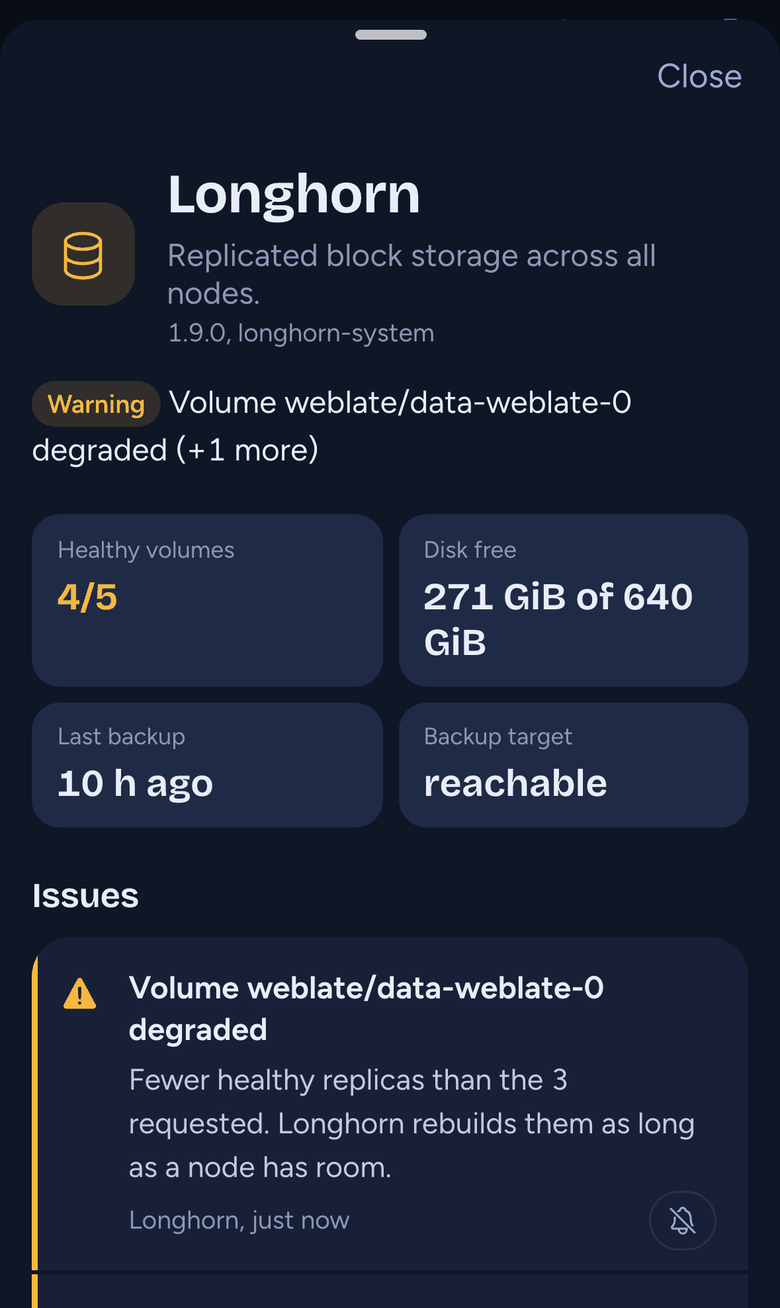
Degraded Longhorn volumes, Argo CD apps with the broken resource, CNPG WAL archiving and backup age, expiring certificates, etcd quorum, your own firing alerts. Every check

The Longhorn detail sheet: version, healthy volumes, free disk, backups and the backup target

Only what is broken

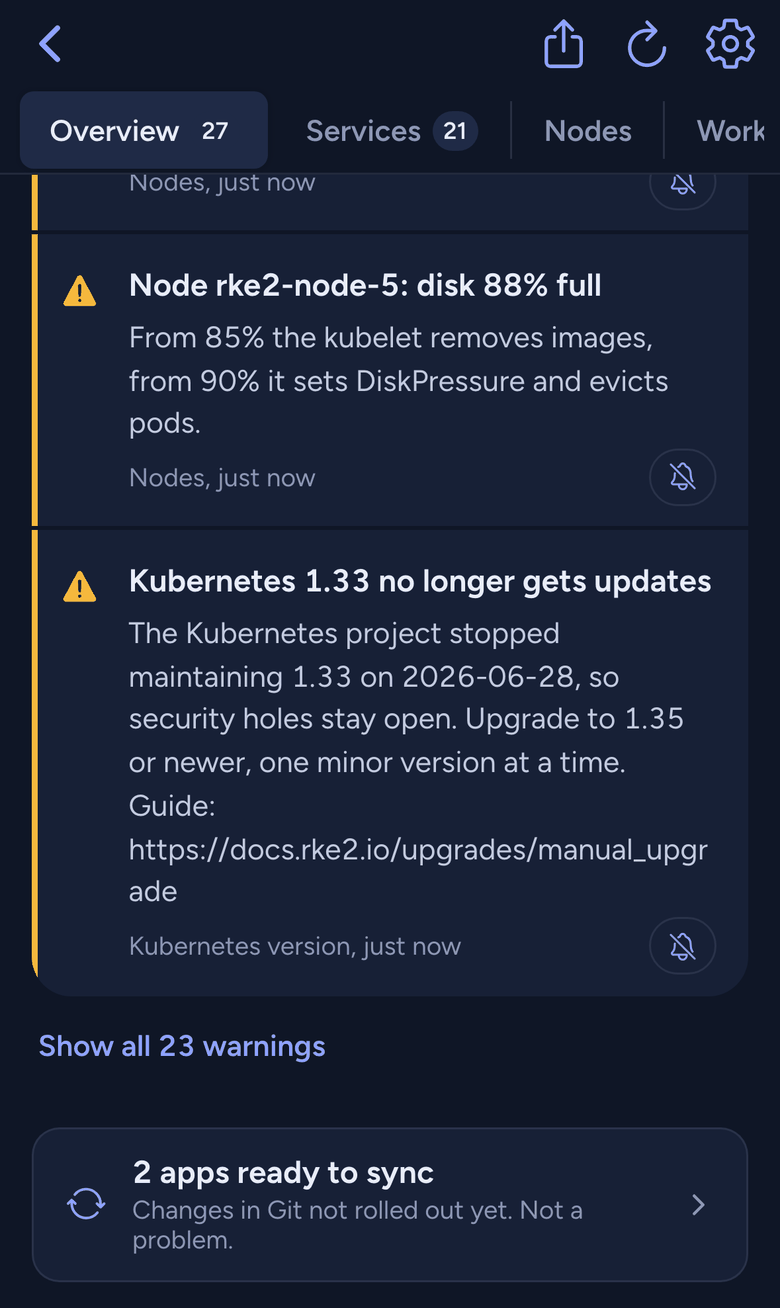
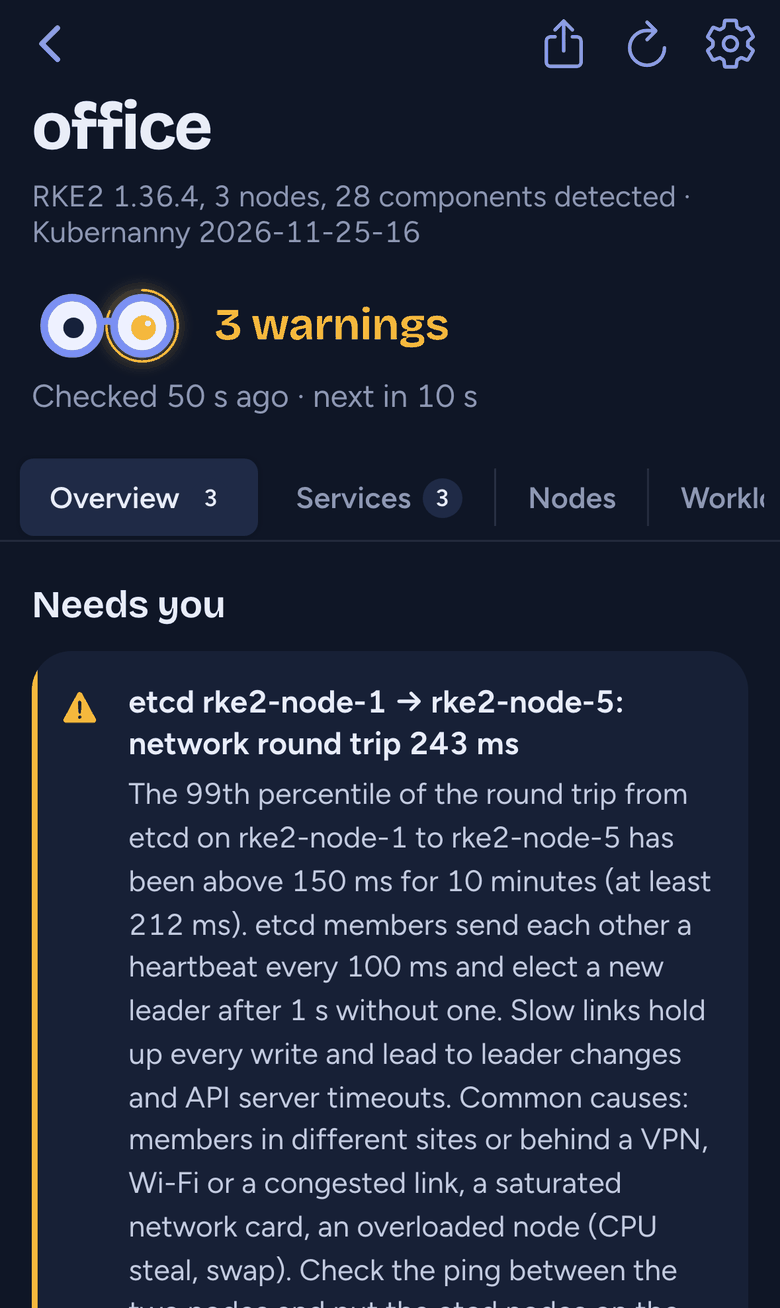
No wall of green. Each problem says why, since when, and which action usually fixes it. Planned kured reboots are a warning, not an alarm.

A list of problems, each with its cause, its age and the action that fixes it

Actions bound to issues

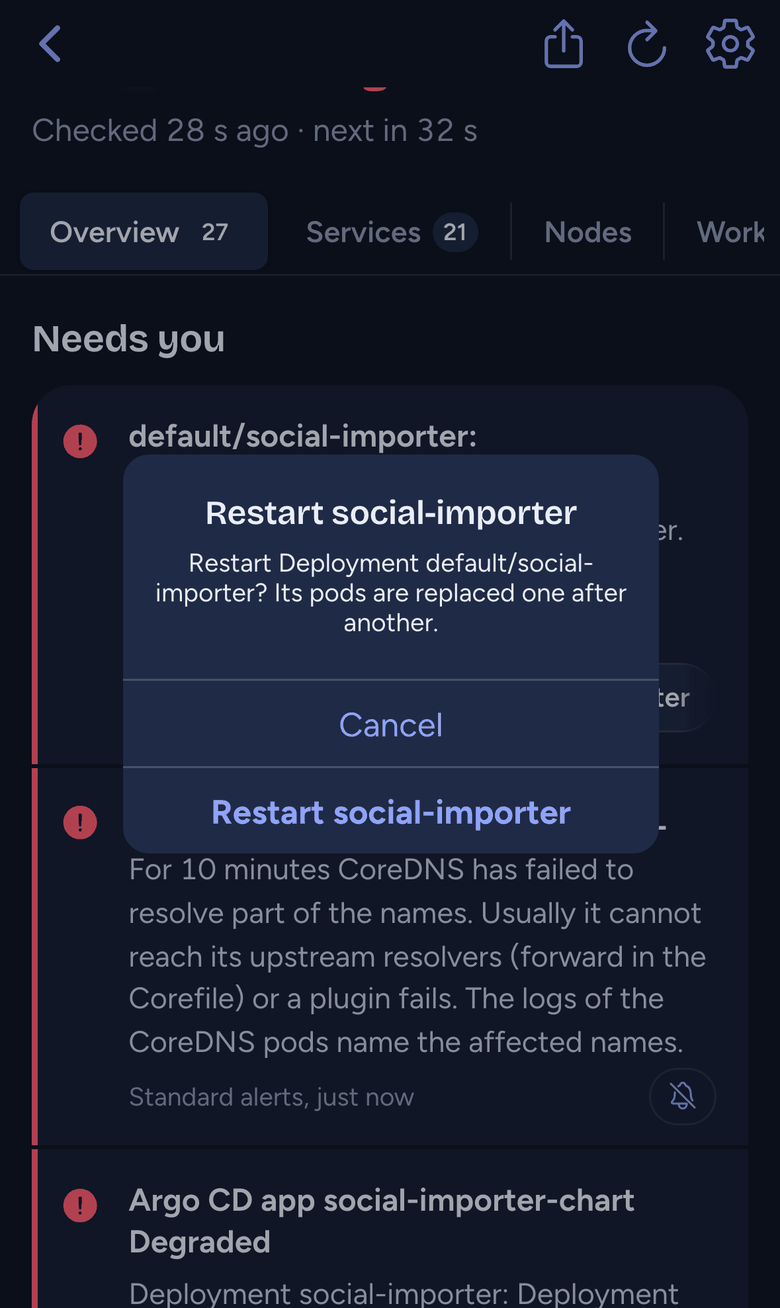
Sync, hard refresh, restart, back up now: offered only on an open problem, always confirmed first. The agent takes the target from its own check, never from the request.

A confirmation dialog before restarting a crashing deployment

End-to-end encrypted, on any path

Every call is a fresh Noise IK handshake between your device's own key and the agent's pinned key. VPN, LAN or plain HTTP: the path stops mattering.

Read the protocol

A switch for every module

Every check, action and connection switches off on its own. In the app it pauses; in Helm it is gone: no permission, no route, no connection.

What off removes

Reachable without a VPN

Switch on the relay and the agent dials out, no open port. The relay only passes sealed messages along: it can read none of them. Run your own, or use ours.

What the relay sees

Security hints and known vulnerabilities

Privileged containers, host access, missing limits. And, if you switch it on, the versions you run checked against OSV.dev, with the release that fixes them. The built-in lookup covers Kubernetes and well-known components only; every image, your own included, is covered when Trivy Operator runs in the cluster.

Security checks

Calm for the long run

Silence a known problem for an hour or a week. Look back at every incident, check your backups at a glance, and get a weekly digest if you like.

Notifications

Notifications that wait five minutes

A problem is sent once it has lasted five minutes, so rollouts and planned reboots never wake you. Again if it turns critical, and once more when it is resolved.

  • ntfy
  • Discord
  • Slack
  • Gotify
  • JSON webhook
  1. 0 minProblem appears
  2. 5 minSent, if still there
  3. laterTurns critical: sent again
  4. fixedResolved: one last message

Open source, free, and staying that way

Apache-2.0. No account, no backend of ours, no telemetry, no pro tier, no checks behind a paywall. Nothing leaves your network unless you switch it on: notifications, the relay, the vulnerability lookup.

Source on GitHub

See it

One answer first. Everything else below the fold.

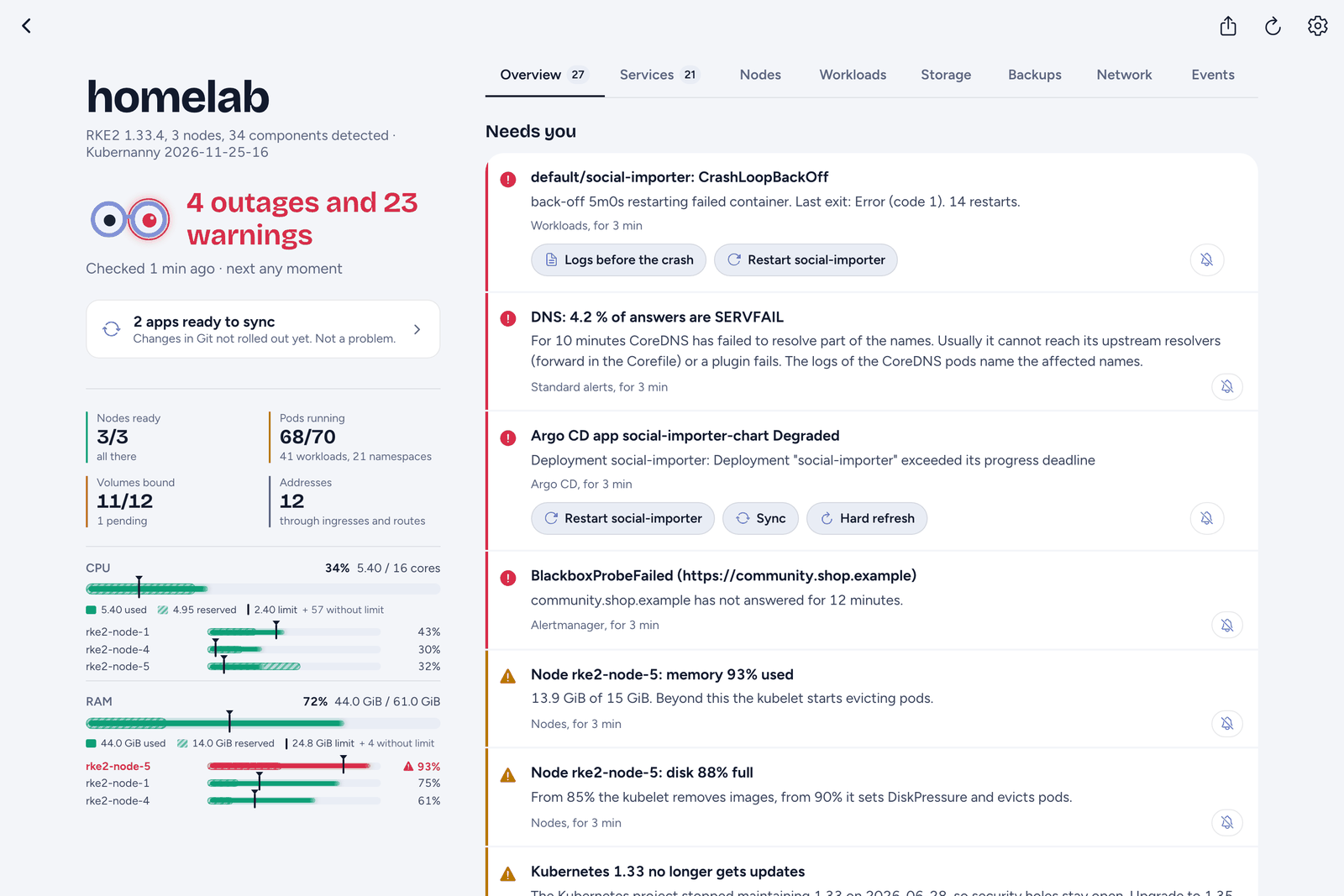
Phone, tablet or a browser tab: the agent serves the web app itself, and the same app runs on iOS and Android.

The desktop layout: cluster vitals and the nanny eye on the left, the problems on the right
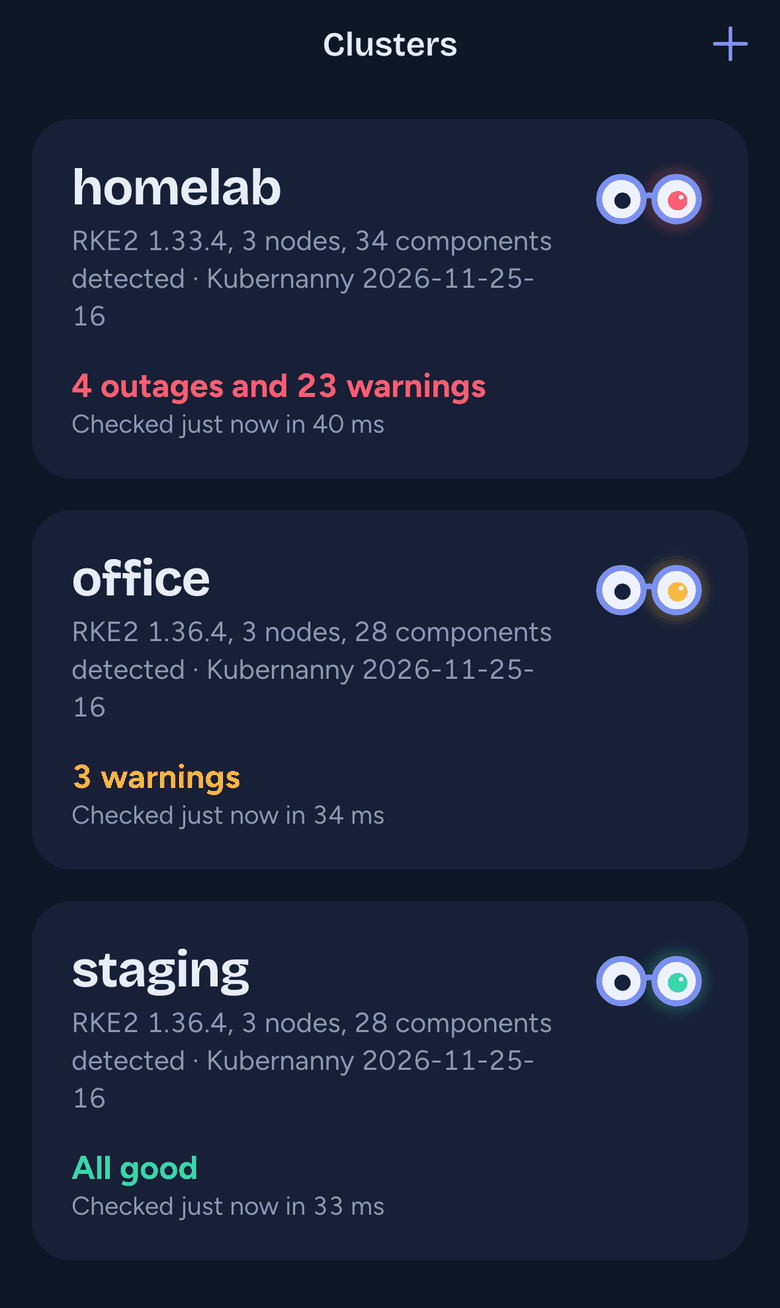
  • Three clusters side by side, each with its light in the nanny eye: red, amber and green
    Every cluster, one light each
  • A list of problems, each with its cause, its age and the action that fixes it
    Only what is broken, with cause and action
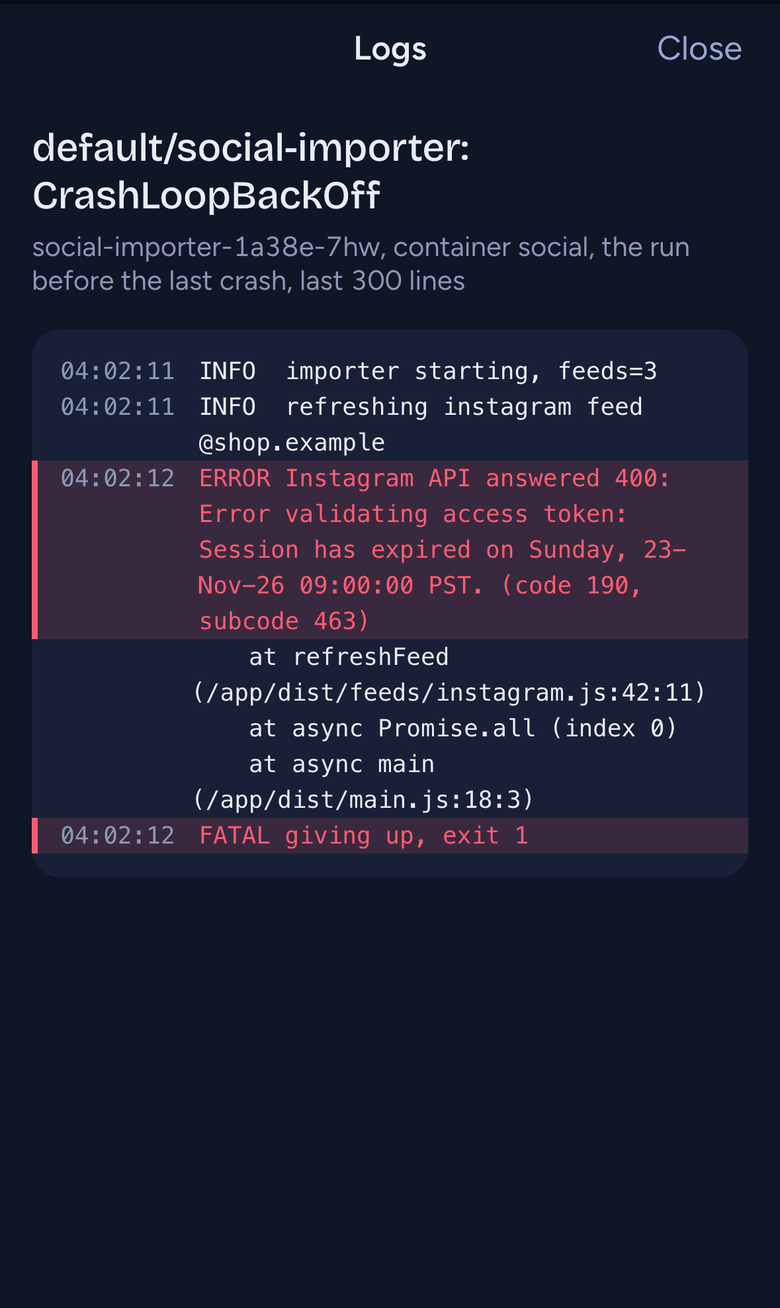
  • Logs of the crashed container run, with the error lines highlighted
    Logs of the run that crashed
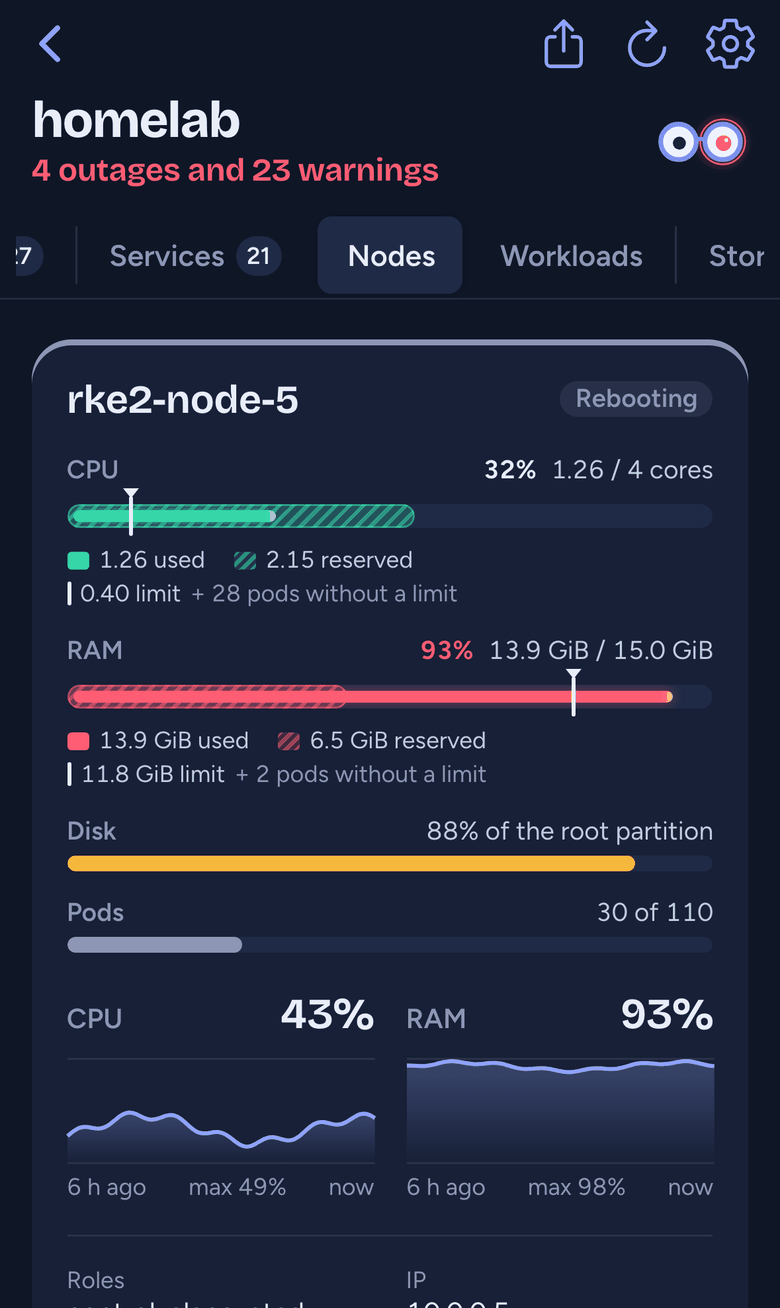
  • A node card with CPU, RAM, disk and pods, used against requested
    Nodes: used against requested
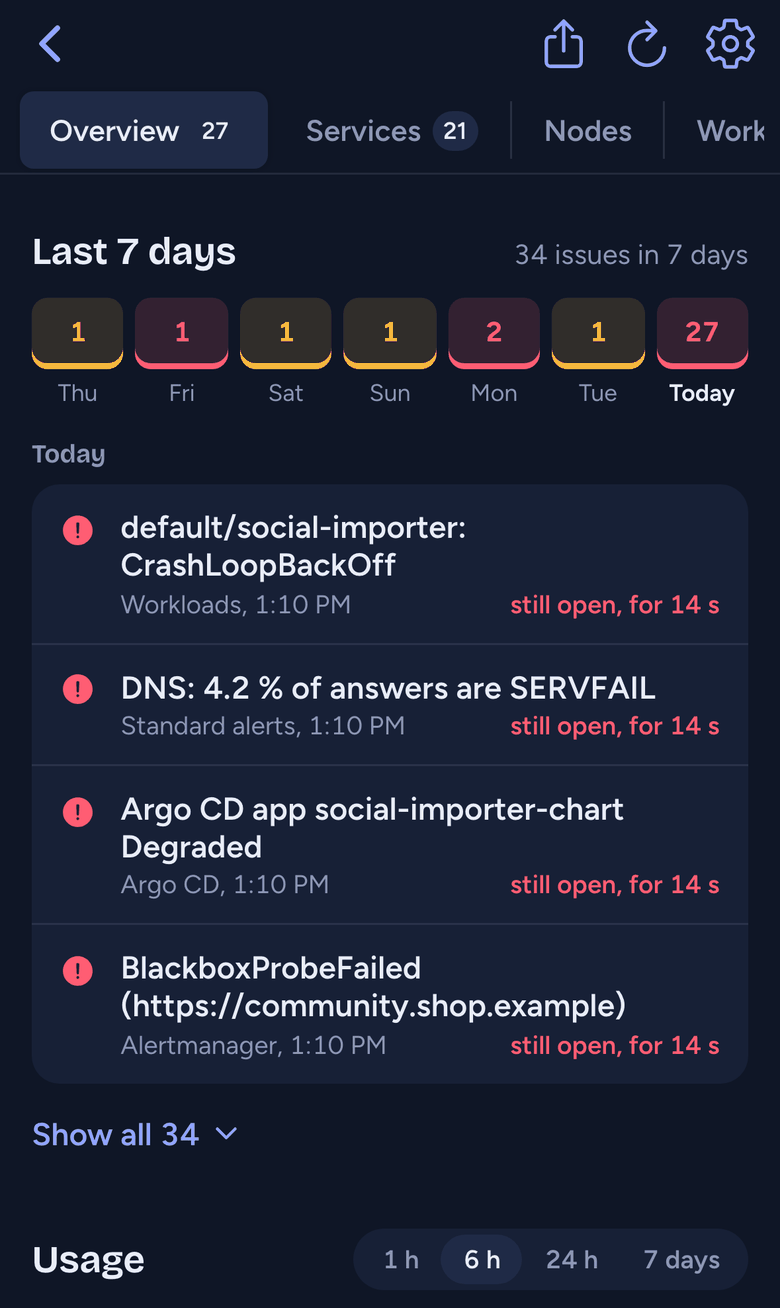
  • The last seven days: one cell per day coloured by its worst incident, and each incident with start and duration
    The last seven days at a glance
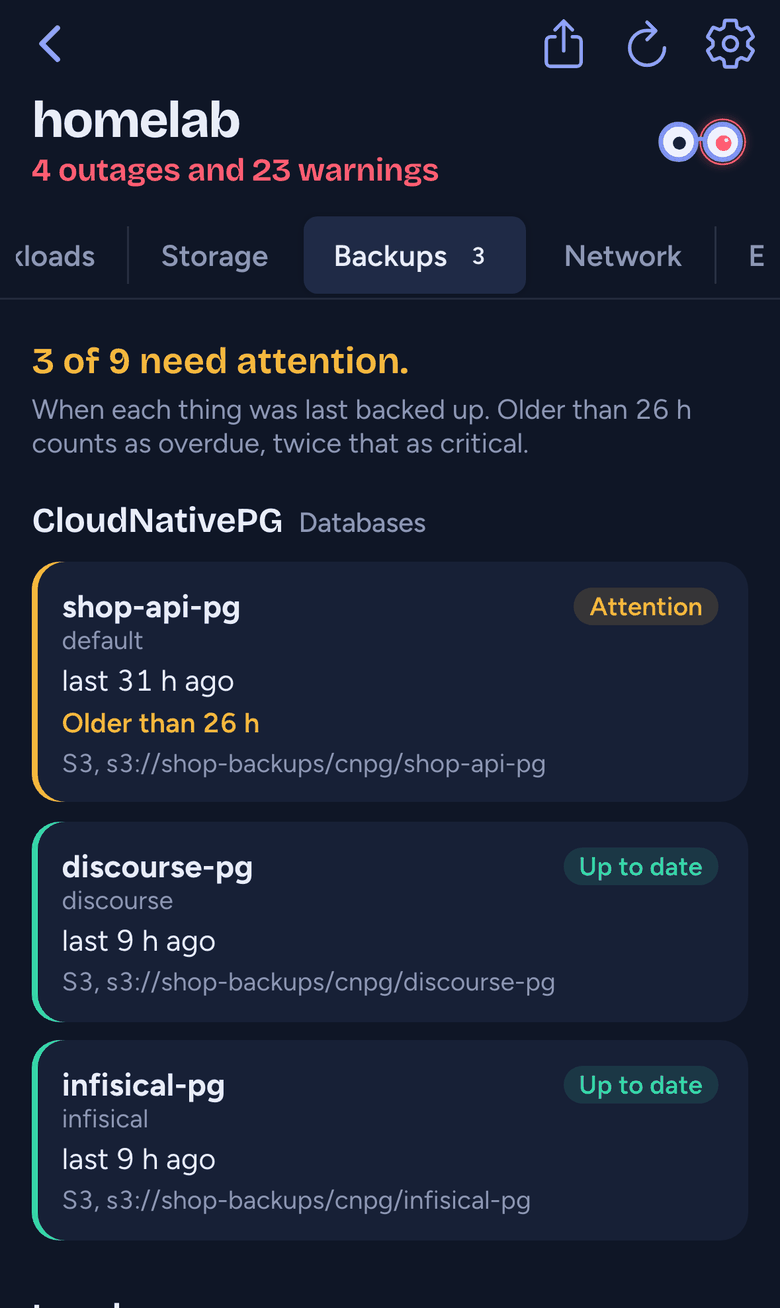
  • The backups tab: each database and volume with its last backup and where it goes
    Every backup, and what has none
  • A cluster with two warnings: an old database backup and an expiring certificate
    Warnings before they become outages
  • The Longhorn detail sheet: version, healthy volumes, free disk, backups and the backup target
    Deep checks per component

In English and German, following your device. Try the demo ยท All screenshots

Security

Built like it has write access to your cluster. Because it does.

Kubernanny reads most of your cluster and holds a few write verbs for its actions. Every one of them is written down, with what an attacker could do with each piece and the residual risks.

A Noise handshake per call

Noise IK with X25519, ChaCha20-Poly1305 and BLAKE2b. Nothing in between can read, change or replay a request. Fresh keys for every answer, no session state, published test vectors.

The protocol

A key pair per device

Each device creates its own key; the private half never leaves it. A lost phone is revoked with one tap, and every other device keeps working. No bearer token to leak.

Why device keys

Least privilege, generated

The ClusterRole is generated from what each module reads and does. No Secrets outside its own two, no delete, no exec. rbac.allowActions=false makes it strictly read-only.

Security model

Nothing leaves without your yes

No backend of ours, no account, no telemetry. Out of the cluster goes only what you switch on: notifications (reducible to counts), the relay (sealed messages only) and the vulnerability lookup (names and versions only).

Every connection

Off means gone.

Every feature that reads, writes or talks to the outside can be switched off on its own in the Helm values. Off is not hidden: the permission leaves the RBAC, the route refuses, the connection is never opened, and the app cannot switch it back on.

  • Never change anything in my clusterrbac.allowActions: false

    The ClusterRole loses every patch and create verb, and the action routes answer 403. Strictly read-only.

    • no write permission
    • no API route
  • No restarts, but syncs are fineactions.disabled: [restart]

    Each action alone: restart, argocd-sync, argocd-refresh, argocd-rollback, cnpg-backup, logs. Its permission leaves the RBAC once nothing else needs it.

    • no write permission
    • no API route
  • Rollbacks only if I allow themactions.enabled: [] (default)

    Rolling a manual-sync Argo CD app back to an earlier deployment is off unless you add argocd-rollback here. Until then the route answers 403 and the admission policy has no branch that would allow it. On, every rollback is announced.

    • no write permission
    • no API route
  • Do not look into Argo CDchecks.disabled: [argocd]

    Any module by its id. It never runs, and the chart grants no permission to read its resources or to run its actions.

    • no read permission
    • no write permission
  • No connection out of the clusterrelay.enabled: false (default)

    No WebSocket to any relay, and no egress rule for it in the NetworkPolicy. The app reaches the agent directly or not at all.

    • no outbound connection
  • Do not tell anyone which versions I runchecks.disabled: [vulnerabilities]

    The lookup is off by default; listed here, the app cannot switch it on either, and no request ever goes to OSV.dev or a mirror.

    • no outbound connection
  • Do not ask registries about my imageschecks.disabled: [image-updates]

    The update lookup is off by default; listed here it cannot be switched on from the app, and no registry is ever contacted.

    • no outbound connection
  • Nobody may wave a vulnerability throughvulnerabilities.allowAccept: false

    Marking an advisory as not applicable is refused before anything is stored, and acceptances stored earlier are ignored.

    • no API route
    • no stored data
  • No push through Google to my phonenotifications.appPush.enabled: false

    The push routes answer 404, stored push tokens are deleted on start, and nothing is handed to the relay. Even when on, pushes are sealed per device: the relay and Google never see the text.

    • no API route
    • no stored data
    • no outbound connection
  • No notifications at allchecks.disabled: [notifications]

    Nothing is sent to ntfy, webhooks or phones, including the alerts about security-relevant changes.

    • no outbound connection
Every permission, what it is for and how to remove it

See it on a cluster that is on fire.

The live demo runs Kubernanny against its built-in demo clusters: outages, warnings, the lot. Nothing to install, nothing to break.

Try the demo

Support

Free. Kept going by the people who use it.

No pro tier, no paywalled checks, no ads. If Kubernanny saved you a night, chip in for the developer accounts, the domain and the time it takes to add the next integration.